Staying ahead in the world of gaming hardware means understanding how controller technology is evolving—and how to make it work seamlessly with your setup. If you’re searching for clearer insights into HSS compatibility, device integration strategies, and the future of modular gamepad design, you’re in the right place.
This article breaks down the latest advancements in gamepad innovation, explains how HSS integration impacts performance, and offers practical guidance for optimizing your controller configuration. Whether you’re upgrading your setup or fine-tuning for competitive play, you’ll find focused, actionable information designed to match your goals.
Our insights are grounded in hands-on testing, technical analysis of controller architecture, and ongoing reviews of device compatibility standards. By combining real-world setup experience with deep research into hardware performance trends, we deliver guidance you can rely on.
Let’s explore what’s changing, what it means for your gameplay, and how to make smarter decisions about your controller ecosystem.
Beyond Stock: The Era of the Personalized Gamepad
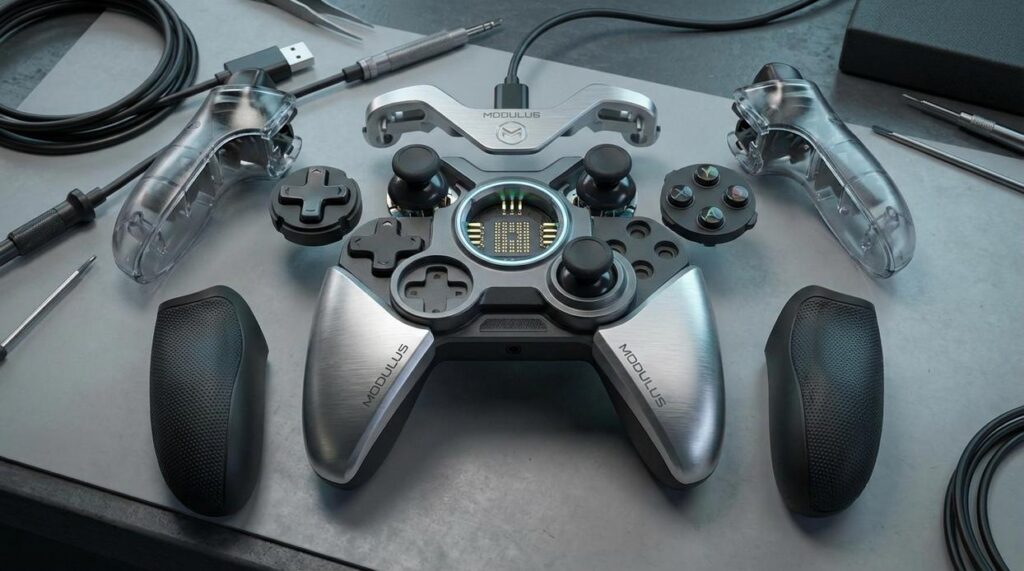
Standard controllers assume every player’s hands, reflexes, and preferences are identical (they’re not). A truly personalized approach flips that idea on its head. Through modular gamepad design, interchangeable thumbsticks, triggers, and grips adapt to different genres and hand sizes—whether you’re grinding ranked matches or exploring open worlds.
What’s in it for you?
- Better comfort during long sessions
- Faster response tailored to your playstyle
- A competitive edge through precision tuning
Critics argue customization adds complexity. But when performance and comfort align, players gain consistency—and consistency wins games.
Why Modularity Matters: Solving the Gamer’s Dilemma
A standard controller forces a compromise. FPS players want tight thumbstick tension and short trigger stops for faster shots. Meanwhile, fighting game fans prefer smoother motion and consistent button feedback for combo precision. One layout, two very different needs.
By comparison, modular gamepad design lets you swap sticks, triggers, and paddles to match the genre. Option A: buy a new controller for every playstyle. Option B: adjust the one you already own. The second path saves money—and frustration.
Then there’s ergonomics. Hand size and grip style matter:
- Claw grip: higher stick tension improves micro-aim control.
- Palm grip: wider grips reduce wrist strain.
- Hybrid grip: adjustable paddles prevent finger fatigue.
Some argue fixed designs are more durable. However, replaceable parts extend lifespan through easy repairs and upgrades (think LEGO, but for gamers). In the long run, adaptability beats replacement—especially when comfort directly impacts accuracy and endurance.
The Anatomy of a Modular Controller: Key Interchangeable Components
A controller isn’t just plastic and circuitry—it’s a cockpit. And every button, trigger, and surface is a control dial you can fine-tune.
Thumbstick Modules
First and foremost, thumbsticks are your steering wheels. Swapping between tall and short sticks is like choosing between a sports car’s tight steering and a truck’s wider turn radius. Taller sticks increase leverage, which can improve aiming precision (a principle supported by basic mechanical advantage physics). Meanwhile, concave tops cradle your thumbs for grip, while convex caps encourage quicker flicks. Adjustable tension mechanisms add another layer, letting you tighten resistance for steady sniper shots or loosen it for rapid movement. In short, you’re customizing feel, not just function.
D-Pad Customization
Next, consider the D-pad. A traditional cross design offers distinct directional feedback—think of it as four separate piano keys. On the other hand, a faceted or circular D-pad flows more like a DJ’s turntable, ideal for smooth quarter-circle inputs in fighting games. Critics argue the classic cross is more precise. However, competitive fighting communities often favor circular variants for combo consistency (as noted in esports hardware discussions by outlets like IGN).
Trigger and Bumper Systems
Then there are triggers. Hair-trigger locks shorten travel distance, much like clicking a computer mouse instead of pressing a piano key—perfect for shooters. Conversely, full-range triggers provide gradual input, crucial for feathering the gas in racing sims.
Grips and Faceplates
Finally, grips and faceplates shape comfort and identity. Textured rubber improves handling during long sessions, while smooth finishes offer sleek aesthetics. This is the essence of modular gamepad design—building a controller like assembling a tailored suit.
For deeper context, explore how modern gamepad technology has evolved over the years.
Engineering for Flexibility: The Design Philosophy
True flexibility starts at the connection. Zero-latency means a signal travels without perceptible delay, while connection integrity refers to how reliably two parts stay linked under stress. Magnetic systems offer snap-on convenience and self-alignment (think MagSafe for controllers), but critics argue they can shear under torque. Mechanical locks, such as micro-latches or rail clamps, resist force better yet may wear over time. The competitive edge lies in hybrid couplings: magnets for guidance plus concealed mechanical teeth for load-bearing.
Material science is the quiet differentiator. Polymers with high impact resistance prevent cracking, anodized aluminum frames dissipate heat, and textured elastomers improve grip without feeling tacky. Premium feel is not cosmetic; it signals tolerances measured in microns. Overlooked detail: surface coatings that reduce galvanic corrosion between mixed metals.
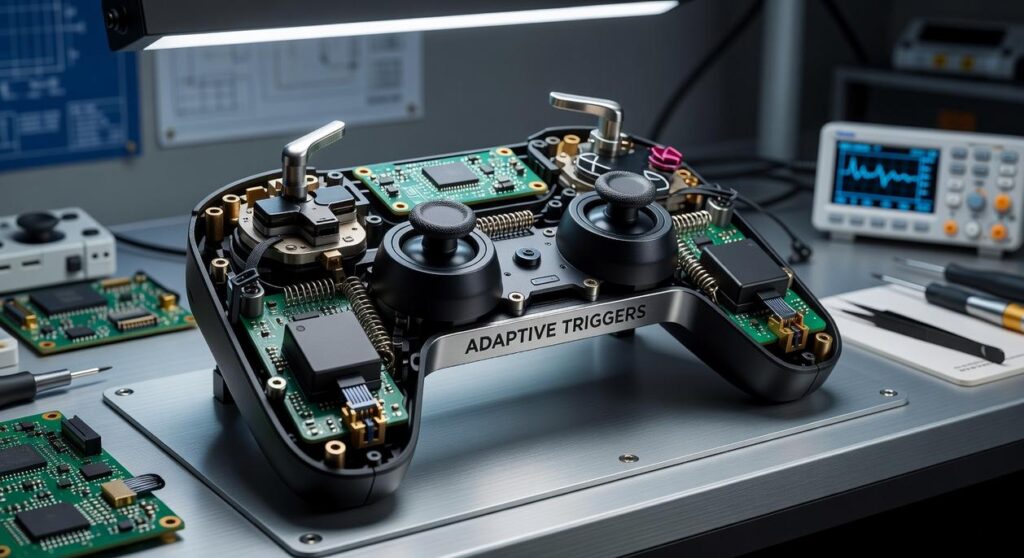
Inside, the internal PCB (printed circuit board) must reroute power and data dynamically. A modular gamepad design demands reinforced traces at swappable junctions and strain-relieved wiring channels to avoid weak points. Pro tip: stagger connector pins so ground engages before power. Done right, flexibility feels invisible to players and unbeatable to competitors. That unseen resilience is where true differentiation quietly compounds over years. Beyond spec sheets and marketing.
Seamless Integration: Ensuring Universal Compatibility and Control
Designing for PC, Xbox, and PlayStation means confronting different firmware rules, authentication chips, and input standards. A modular system cannot rely on simple USB-C pass-through; it needs abstraction layers—software translators that normalize signals before they hit each console. Competitors often gloss over this, but true modular gamepad design depends on swappable authentication modules and firmware profiles tuned per platform.
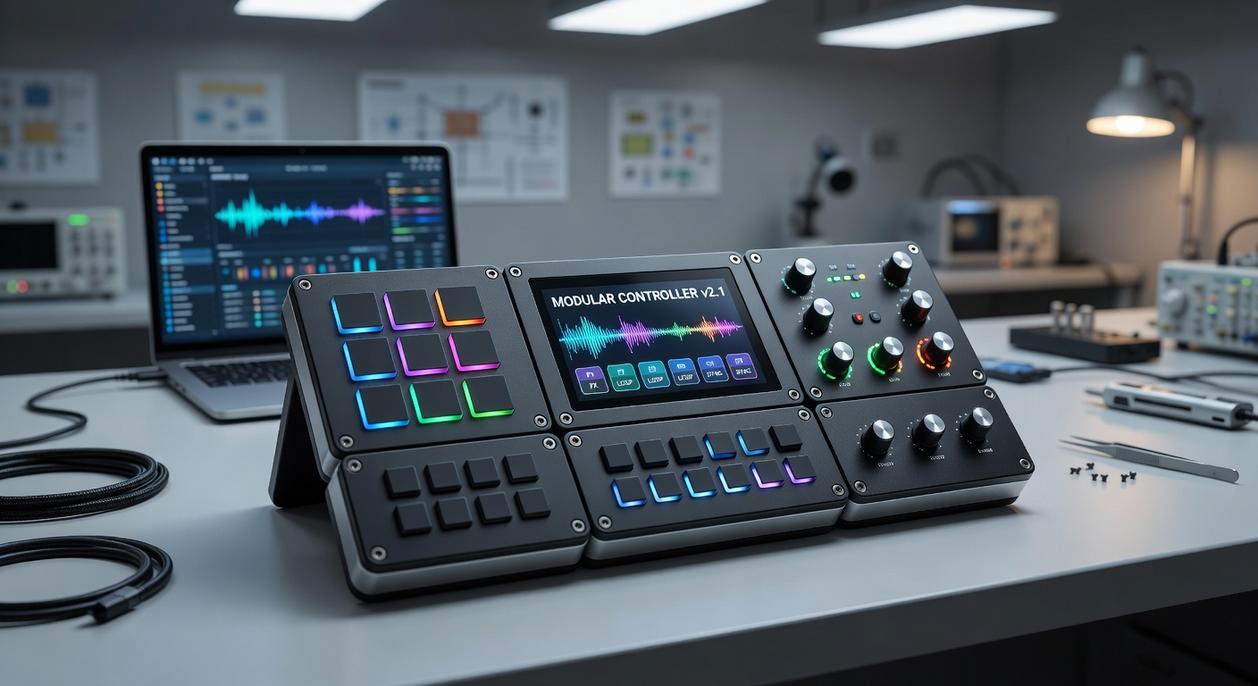
The companion app is not optional; it is the control tower. Through it, players can:
- remap buttons for accessibility or esports precision,
- fine-tune dead zones to eliminate drift,
- save per-game profiles that auto-load on launch.
Dead zone refers to the area of stick movement ignored to prevent unintended input. Without centralized software, cross-platform consistency collapses.
Haptics add another layer. Adaptive triggers on PlayStation and HD rumble on Nintendo-style hardware use different signal protocols. Ensuring parity requires firmware that dynamically reallocates power and audio-frequency channels, so feedback feels native, not emulated. Some argue universal controllers should strip advanced features for simplicity. But that sacrifices immersion—like watching a blockbuster in mono. Pro tip: test vibration curves with audio diagnostics to catch latency early. True compatibility means full-spectrum control, everywhere for modern competitive and casual players alike.
Building Your Ultimate Controller
You now understand the essentials, from swappable thumbsticks to internal tuning. So why settle? As gamers say, “adapt and overcome”—but this isn’t a military sim. This is your setup.
Instead of forcing your hands to adjust, embrace modular gamepad design and flip the script. Think Tony Stark upgrading his suit between battles (because why fight with last season’s tech?).
Here’s what that unlocks:
- Faster on-the-fly adjustments
- Personalized comfort and grip
- A measurable competitive edge
In other words, stop compromising. Start building. Your controller should evolve with you, not hold you back.
Level Up Your Controller Experience
You came here to understand how evolving controller technology, smarter integration, and modular gamepad design can transform the way you play. Now you know how the right setup eliminates compatibility headaches, reduces input lag, and gives you the precision edge you’ve been missing.
Struggling with unresponsive controls, poor customization, or confusing device pairing doesn’t have to be your normal. The right configuration and hardware strategy solve those pain points—fast.
If you’re ready to stop fighting your setup and start dominating your gameplay, take the next step. Explore the latest compatibility insights, upgrade to a controller built for performance, and apply proven integration strategies trusted by serious gamers. Don’t settle for average control—optimize your setup today and feel the difference instantly.
 Evan T. writes the kind of device integration strategies content that people actually send to each other. Not because it's flashy or controversial, but because it's the sort of thing where you read it and immediately think of three people who need to see it. Evan has a talent for identifying the questions that a lot of people have but haven't quite figured out how to articulate yet — and then answering them properly.
They covers a lot of ground: Device Integration Strategies, Tech Pulse Updates, HSS Peripheral Compatibility Insights, and plenty of adjacent territory that doesn't always get treated with the same seriousness. The consistency across all of it is a certain kind of respect for the reader. Evan doesn't assume people are stupid, and they doesn't assume they know everything either. They writes for someone who is genuinely trying to figure something out — because that's usually who's actually reading. That assumption shapes everything from how they structures an explanation to how much background they includes before getting to the point.
Beyond the practical stuff, there's something in Evan's writing that reflects a real investment in the subject — not performed enthusiasm, but the kind of sustained interest that produces insight over time. They has been paying attention to device integration strategies long enough that they notices things a more casual observer would miss. That depth shows up in the work in ways that are hard to fake.
Evan T. writes the kind of device integration strategies content that people actually send to each other. Not because it's flashy or controversial, but because it's the sort of thing where you read it and immediately think of three people who need to see it. Evan has a talent for identifying the questions that a lot of people have but haven't quite figured out how to articulate yet — and then answering them properly.
They covers a lot of ground: Device Integration Strategies, Tech Pulse Updates, HSS Peripheral Compatibility Insights, and plenty of adjacent territory that doesn't always get treated with the same seriousness. The consistency across all of it is a certain kind of respect for the reader. Evan doesn't assume people are stupid, and they doesn't assume they know everything either. They writes for someone who is genuinely trying to figure something out — because that's usually who's actually reading. That assumption shapes everything from how they structures an explanation to how much background they includes before getting to the point.
Beyond the practical stuff, there's something in Evan's writing that reflects a real investment in the subject — not performed enthusiasm, but the kind of sustained interest that produces insight over time. They has been paying attention to device integration strategies long enough that they notices things a more casual observer would miss. That depth shows up in the work in ways that are hard to fake.