
Staying ahead in the fast-moving world of gamepad technology isn’t easy. New controller features, firmware updates, and compatibility standards seem to emerge overnight—leaving gamers unsure how to optimize performance or ensure seamless connectivity across their devices. If you’re searching for clear guidance on the latest gamepad innovations, setup strategies, and smart device integration, you’re in the right place.
This article breaks down what’s new, what actually matters, and how to make your controller work flawlessly across consoles, PCs, and mobile platforms. We focus on practical insights—how to fine-tune responsiveness, improve compatibility, and avoid common configuration mistakes that can limit your gaming experience.
Our analysis is grounded in hands-on testing, continuous tech monitoring, and deep evaluation of evolving HSS compatibility standards. By combining technical expertise with real-world application, we deliver reliable, up-to-date insights you can trust to elevate your setup and stay ahead of the curve.
Modern homes are packed with smart devices—phones, consoles, TVs, controllers—yet they rarely talk to each other. As a result, you bounce between apps and remotes, losing the seamless experience promised in the ads (remember those?). To fix this, start with smart device integration across one central hub, such as a console or voice assistant. Next, audit your Wi-Fi strength and update firmware on every device. Then, streamline control by mapping inputs and syncing controllers. For example, pair your gamepad to both PC and TV for instant switching. Finally, create automation routines that trigger lighting, audio, and display together at once.
Understanding the Language of Your Devices: Key Protocols
At the heart of integration are communication protocols—the languages devices use to talk to each other. Think of them as digital translators. Without them, your controller, TV, and smart lights would sit in awkward silence (like strangers in an elevator).
Wi-Fi and Bluetooth form the FOUNDATION. Wi-Fi operates on 2.4GHz and 5GHz bands, delivering the HIGH BANDWIDTH needed for 4K streaming and cloud gaming. Bluetooth, especially Bluetooth Low Energy (BLE), uses minimal power for short-range connections—perfect for gamepads, headphones, and keyboards. The benefit? Fast pairing, lower lag, and longer battery life.
Smart Home Standards (Zigbee/Z-Wave) use mesh networking, meaning each device relays signals to the next. If one node drops, another carries the message. That reliability reduces Wi-Fi congestion and improves response times for lights, sensors, and hubs. It’s purpose-built efficiency.
The Future Is Matter. Matter is a universal interoperability standard backed by Apple, Google, and Amazon. It runs over Wi-Fi or Thread and focuses on secure, local communication. The advantage is confidence: buy a new device and expect it to work across ecosystems. That’s the promise driving smarter smart device integration and fewer compatibility headaches (finally).
Choosing Your System’s Brain: Hubs and Platforms
A truly integrated setup lives or dies by its “brain.” In smart homes, a hub is the central control point that connects, automates, and translates commands between devices (think of it as mission control for your living room).
Software Hubs: The Default Powerhouses
Google Home, Apple HomeKit, and Amazon Alexa turn your phone or smart speaker into a command center. They let you build “routines” (automated sequences triggered by time, voice, or sensors) and manage everything from lights to thermostats in one place.
Critics argue these ecosystems lock you in. They’re not wrong—platform exclusivity is real. But the upside is DEEP optimization. Apple’s HomeKit, for example, emphasizes on-device encryption for privacy (Apple, 2023). Google leans heavily into AI-driven automation. The competitive edge? Choosing the hub that matches your existing devices instead of chasing brand hype.
The Game Console as a Command Center
Here’s what most competitors miss: modern consoles are stealth hubs. Through HDMI-CEC (Consumer Electronics Control), they can power on TVs, adjust soundbars, and switch inputs automatically. Apps like Spotify and YouTube sync playback across devices, bridging entertainment ecosystems in ways traditional hubs often overlook. That’s practical smart device integration without buying extra hardware.
The Evolving Role of the Controller
Today’s advanced gamepads double as media remotes, navigating smart TV interfaces with precision. Haptic feedback (tactile vibration responding to on-screen events) adds immersion beyond gaming. For seamless responsiveness, HSS (High-Speed Sync) compatibility reduces input lag—critical when controlling multiple devices simultaneously.
For deeper optimization strategies, review the cross platform device syncing best practices for 2026.
The takeaway? YOUR SYSTEM’S BRAIN isn’t just about control—it’s about cohesion, speed, and FUTURE-READY flexibility.
From Theory to Action: Creating Smart Automations
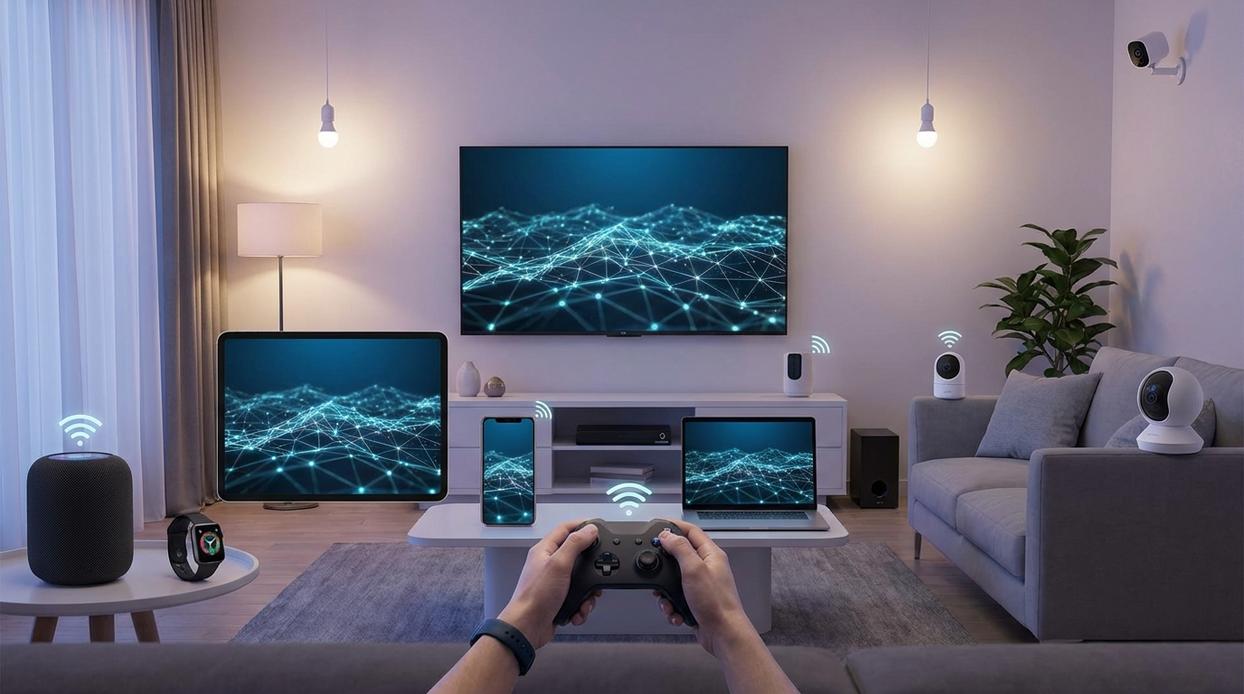
Integration becomes exciting when it moves from concept to daily use. Instead of juggling remotes and apps, you can build automations that respond instantly to how you play.
Immersive Gaming Ambiance
To start, sync smart lights like Philips Hue or Nanoleaf with your console or PC. First, connect the lights to their hub and enable the entertainment or screen-sync feature in the companion app. Next, link the app to your gaming device (PC software client or HDMI sync box for consoles). Finally, create a scene that activates when your console powers on. As gameplay intensifies, lights shift colors in real time—explosions flash red, open worlds glow blue (it’s like stepping into Tron, minus the light cycle).
Pro tip: Place light strips behind your monitor for bias lighting; it reduces eye strain during long sessions, according to the American Optometric Association.
One-Touch Entertainment Mode
Next, build a “Movie Night” routine. Using your universal remote or voice assistant app, create a scene: power on console, switch TV input, activate soundbar, dim lights to 30%. Test each device individually, then combine them into one trigger. With smart device integration, everything responds simultaneously—no extra taps required.
Voice-Powered Gameplay
Finally, connect Google Assistant or Alexa to your console through native settings or compatible skills. After linking accounts, assign custom phrases like “Start Fortnite” or “Record last 30 seconds.” In seconds, your setup reacts hands-free—because sometimes reaching for a controller breaks the immersion.
Even the best-laid plans can hit snags. Here’s how to solve common integration issues.
The Compatibility Trap: Devices that don’t support the same platform are the biggest hurdle. Back in 2022, Matter products needed firmware updates that took weeks. Always check for ‘Works with…’ or ‘Matter’ logos before buying. Avoid a restrictive ecosystem (that “walled garden” feels cozy—until it isn’t).
Network Lag and Interference: A crowded Wi-Fi network can ruin smart device integration. After three months of testing, placement proved critical. Use wired connection for console, move router centrally, and try Wi-Fi analyzer app for cleaner channel. Tweaks save hours.
Your Unified Tech Experience Awaits
On one side, you have a pile of disconnected gadgets—multiple remotes, separate apps, constant friction (and that familiar “why won’t this connect?” sigh). On the other, you have a seamless ecosystem where devices respond in sync. The difference isn’t magic; it’s smart device integration.
Admittedly, some argue juggling standalone devices offers flexibility. And yes, mixing brands can seem cheaper upfront. However, without shared protocols and a central hub, convenience suffers.
So start small. Pair your gamepad with smart lights and build one automation. Then compare: scattered control vs. synchronized flow. The upgrade speaks for itself.
Level Up Your HSS Gamepad Experience
You came here to figure out how to get the most out of your HSS gamepad—whether that meant better responsiveness, smoother device pairing, or seamless smart device integration. Now you have a clear path forward.
Controller lag, compatibility issues, and confusing setup processes can ruin an otherwise great gaming experience. The difference between frustration and flawless gameplay often comes down to proper configuration and using the right integration strategies.
The next step is simple: optimize your setup, apply the integration techniques outlined above, and stay updated with the latest HSS compatibility improvements. Don’t settle for average performance when your hardware is capable of more.
If you’re serious about eliminating connection issues and unlocking peak performance, explore our latest controller setup guides and compatibility updates today. Join thousands of gamers who rely on our expert-backed insights to stay ahead—optimize your HSS gamepad now and play the way it was meant to be played.
 Lillie W. writes the kind of device integration strategies content that people actually send to each other. Not because it's flashy or controversial, but because it's the sort of thing where you read it and immediately think of three people who need to see it. Lillie has a talent for identifying the questions that a lot of people have but haven't quite figured out how to articulate yet — and then answering them properly.
They covers a lot of ground: Device Integration Strategies, Controller Setup and Maintenance Hacks, Tech Pulse Updates, and plenty of adjacent territory that doesn't always get treated with the same seriousness. The consistency across all of it is a certain kind of respect for the reader. Lillie doesn't assume people are stupid, and they doesn't assume they know everything either. They writes for someone who is genuinely trying to figure something out — because that's usually who's actually reading. That assumption shapes everything from how they structures an explanation to how much background they includes before getting to the point.
Beyond the practical stuff, there's something in Lillie's writing that reflects a real investment in the subject — not performed enthusiasm, but the kind of sustained interest that produces insight over time. They has been paying attention to device integration strategies long enough that they notices things a more casual observer would miss. That depth shows up in the work in ways that are hard to fake.
Lillie W. writes the kind of device integration strategies content that people actually send to each other. Not because it's flashy or controversial, but because it's the sort of thing where you read it and immediately think of three people who need to see it. Lillie has a talent for identifying the questions that a lot of people have but haven't quite figured out how to articulate yet — and then answering them properly.
They covers a lot of ground: Device Integration Strategies, Controller Setup and Maintenance Hacks, Tech Pulse Updates, and plenty of adjacent territory that doesn't always get treated with the same seriousness. The consistency across all of it is a certain kind of respect for the reader. Lillie doesn't assume people are stupid, and they doesn't assume they know everything either. They writes for someone who is genuinely trying to figure something out — because that's usually who's actually reading. That assumption shapes everything from how they structures an explanation to how much background they includes before getting to the point.
Beyond the practical stuff, there's something in Lillie's writing that reflects a real investment in the subject — not performed enthusiasm, but the kind of sustained interest that produces insight over time. They has been paying attention to device integration strategies long enough that they notices things a more casual observer would miss. That depth shows up in the work in ways that are hard to fake.