Ever tried lining up that perfect headshot with a thumbstick and ended up just slightly off? Frustrating, right? That’s the limitation of traditional controllers.
Many gamers dismiss motion controls as a gimmick because of early, imprecise attempts. But I know they’re missing out on something faster, more intuitive, and more accurate. You might be skeptical, but hear me out.
I’ve got a deep understanding of gamepad technology, from those tiny sensors to the software that powers them. This isn’t about opinion. It’s about hard tech facts.
I’m promising a no-nonsense guide to motion sensors game controllers. We’ll demystify how these controllers work, which ones are best, and how they can actually improve your gameplay. Ready to step up your game?
Let’s get into it.
The Secrets of Motion: How Controllers Know Your Moves
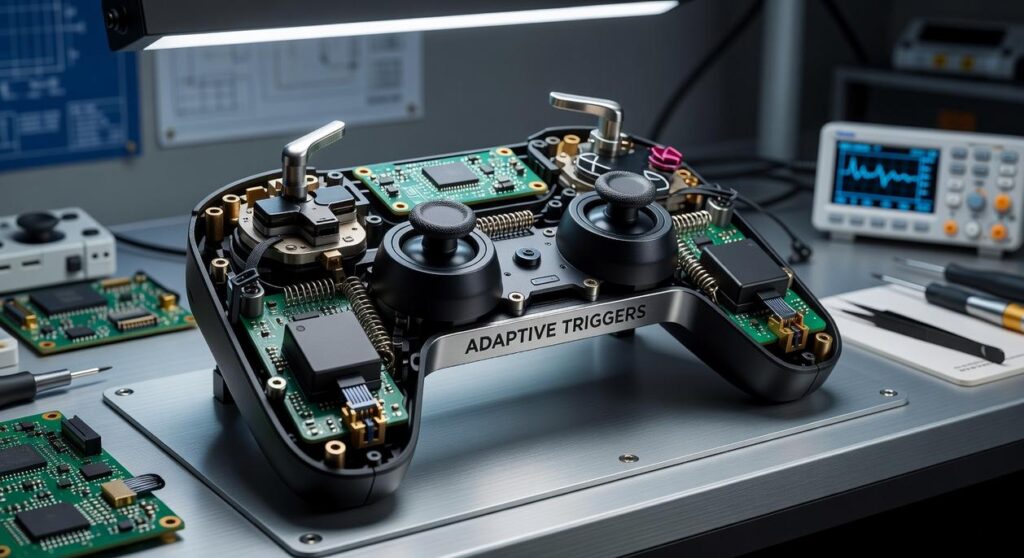
Ever wondered how your game controller knows exactly what you’re doing? The magic lies in the motion sensors game controllers use. These little geniuses include accelerometers and gyroscopes.
Accelerometers are like your body’s sense of balance. They’re sensors that pick up linear movement and gravity. Imagine the feeling when an elevator shoots up or a car accelerates.
That’s G-force! Accelerometers detect this force, translating your physical movement into digital data.
Gyroscopes do the same but in your controller. They sense rotational movement and tilt, ensuring your virtual sword swings exactly as you intend.
Gyroscopes, on the other hand, are all about spin. Picture a spinning top. It maintains its orientation even as it wobbles, right?
Now, here’s where it gets really interesting. Combine these two with something called an IMU (Inertial Measurement Unit). This chip fuses the data from accelerometers and gyroscopes.
It’s like having a tiny brain that tracks every twist and turn in 3D space. This is the secret sauce behind precise motion controls.
Want to dig deeper into how these sensors boost your gaming experience? Check out Understanding Haptic Feedback Modern Controllers. It’s all connected.
So next time you swing your controller, remember the tech marvels inside. They’re the unsung heroes making your gaming experience smooth. Who knew such small components could pack such a punch?
Now you do.
The Evolution of Motion Control: Wii-mote to DualSense
Remember the Wii-mote? It was a game-changer when it hit the market. The Wii brought motion controls into our living rooms, getting everyone from kids to grandparents swinging virtual tennis rackets.
But let’s be real. The tech was basic, relying on a sensor bar and rudimentary accelerometers. It worked, but it was far from perfect.
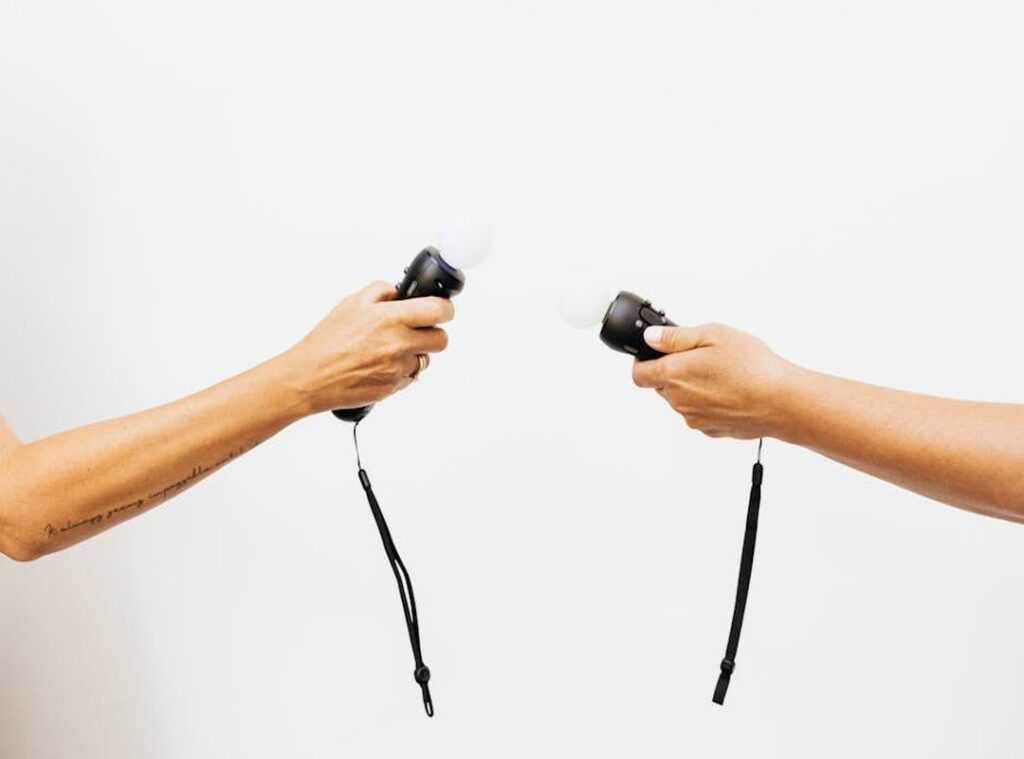
Then came Sony and Microsoft with their own takes. The PlayStation Move was a more precise wand, trying to refine what the Wii started. Meanwhile, Microsoft went wild with the Kinect.
No controller needed, just your body. It felt futuristic but didn’t quite hit the mark for everyone (unless you enjoyed flailing around).
Fast forward to today. The Nintendo Switch and PS5’s DualSense have taken motion control to another level. These aren’t just gimmicks anymore.
The Switch’s Joy-Cons and Pro Controller use high-fidelity gyroscopes, ditching the need for external sensors. The result? Responsive and accurate controls.
And the DualSense? It’s another beast entirely. With haptics and adaptive triggers, the experience is immersive.
If you’re curious about how far we’ve come, check out this overview. It’s fascinating to see the evolution from Wii-mote to DualSense. Motion sensors game controllers have truly transformed gaming.
You can feel the tension in a bowstring or the rumble of a racetrack. It’s not just about movement anymore; it’s about feeling the game.
And who knows what’s next? Maybe full-body VR suits? All I know is, gaming is more exciting than ever.
Controllers That Move You: Top Motion Picks
Finding the best motion-detecting game controllers isn’t just about the brand or price. to the picks that actually make a difference (and yes, I have opinions). Starting with the Nintendo Switch, it’s the pioneer here. You’ve got the Joy-Cons and the Pro Controller.

I know the Joy-Cons are versatile (like, split-screen Mario Kart on the fly), but if you crave comfort and want something to hold onto for hours, the Pro Controller is your guy.
Certain games really shine with these, like Splatoon 3 and Zelda: Tears of the Kingdom. Ever tried aiming in those with Joy-Cons? It’s an experience.
Yet, the Pro Controller’s feel just makes long sessions more enjoyable.
Switching gears to the PlayStation 5, the DualSense is what I’d call an innovator. Though its gyro is underappreciated (seriously, more games should use it), when it’s used, it sings. The controller integrates seamlessly with the PS5, and you’d be missing out if you didn’t try it with Astro’s Playroom.
That’s a game designed to make you feel every little movement. Even Horizon Forbidden West taps into this tech, though not enough. Developers, take note.
Now, let’s talk about PC gaming (the big leagues for customization). If you want the best motion sensors game controllers experience here, look no further than the DualSense and the Switch Pro Controller. Ever heard of Steam Input?
It turns your PC into the most flexible platform for motion controls.
And for the enthusiasts? Third-party options like Gulikit can be a playground for tinkerers, offering gyro support. But hey, before diving in, you might want to brush up on Analog Vs Digital Gamepad Control Differences.
It might just change how you see your setup.
In the end, whether it’s Switch, PS5, or PC, each offers its own flavor of motion control magic. It’s about what fits your play style, and a bit of trial and error (or a lot, if you’re like me) might be the best way to find your sweet spot.
Mastering Motion Controls: Tips for Peak Gaming
Let’s cut to the chase: motion sensors game controllers can be a real headache if not properly calibrated. One major pain point? Controller drift.
Annoying, right? Drift is when your character moves on its own. Not fun.
To fix this on a Nintendo Switch or PS5, dive into your console settings. Recalibrate those motion sensors. It’s straightforward but often overlooked.
Getting into gyro aiming? Begin easy. Use motion for “fine-tuning” your aim, while reserving the right stick for bigger moves.
Trust me, low sensitivity helps. It’s a balance, like riding a bike while juggling flaming swords (well, maybe not that extreme).
PC gamers, you’re not left out. Here’s a high-value tip: use Steam Input to set a Gyro Activation button. Try the Left Trigger.
Pro tip: Consistency is key. Regularly check and adjust your settings. Even small tweaks can up your game.
Why? It keeps your cursor idle until you’re ready to snipe. Makes your moves deliberate, not erratic.
Keep frustration at bay and enjoy smoother gaming sessions.
Raise Your Gaming With Precision
Let’s face it, aiming with dual-thumbsticks feels like trying to paint a masterpiece with a broom. It’s clunky, slow, and imprecise. But here’s the good news: motion sensors game controllers are your ticket to a new level of precision.
They’re not just flashy tech. They’re game-changers, offering speed and accuracy you didn’t know you needed.
So, the next time you’re gearing up for your favorite shooter, don’t settle. Dive into the settings. Activate motion controls.
Use those tips from this guide. You owe it to yourself to explore this high-skill input method. Try it.
You might just find your new favorite way to play.
 Deyvian Droshar has opinions about hss peripheral compatibility insights. Informed ones, backed by real experience — but opinions nonetheless, and they doesn't try to disguise them as neutral observation. They thinks a lot of what gets written about HSS Peripheral Compatibility Insights, Device Integration Strategies, Tech Pulse Updates is either too cautious to be useful or too confident to be credible, and they's work tends to sit deliberately in the space between those two failure modes.
Reading Deyvian's pieces, you get the sense of someone who has thought about this stuff seriously and arrived at actual conclusions — not just collected a range of perspectives and declined to pick one. That can be uncomfortable when they lands on something you disagree with. It's also why the writing is worth engaging with. Deyvian isn't interested in telling people what they want to hear. They is interested in telling them what they actually thinks, with enough reasoning behind it that you can push back if you want to. That kind of intellectual honesty is rarer than it should be.
What Deyvian is best at is the moment when a familiar topic reveals something unexpected — when the conventional wisdom turns out to be slightly off, or when a small shift in framing changes everything. They finds those moments consistently, which is why they's work tends to generate real discussion rather than just passive agreement.
Deyvian Droshar has opinions about hss peripheral compatibility insights. Informed ones, backed by real experience — but opinions nonetheless, and they doesn't try to disguise them as neutral observation. They thinks a lot of what gets written about HSS Peripheral Compatibility Insights, Device Integration Strategies, Tech Pulse Updates is either too cautious to be useful or too confident to be credible, and they's work tends to sit deliberately in the space between those two failure modes.
Reading Deyvian's pieces, you get the sense of someone who has thought about this stuff seriously and arrived at actual conclusions — not just collected a range of perspectives and declined to pick one. That can be uncomfortable when they lands on something you disagree with. It's also why the writing is worth engaging with. Deyvian isn't interested in telling people what they want to hear. They is interested in telling them what they actually thinks, with enough reasoning behind it that you can push back if you want to. That kind of intellectual honesty is rarer than it should be.
What Deyvian is best at is the moment when a familiar topic reveals something unexpected — when the conventional wisdom turns out to be slightly off, or when a small shift in framing changes everything. They finds those moments consistently, which is why they's work tends to generate real discussion rather than just passive agreement.