Game controllers have come a long way from simple directional pads and wired connections. Today’s players expect precision, seamless device switching, and fully customizable layouts—and that’s exactly where gamepad technology evolution is reshaping the experience. Whether you’re trying to optimize your setup, understand HSS compatibility, or integrate your controller across multiple platforms, staying updated is essential to getting peak performance.
This article is designed to help you cut through the noise. We break down the latest advancements in controller innovation, explain how modern integration strategies improve responsiveness and cross-device play, and provide practical guidance for configuring your setup the right way.
Our insights are based on hands-on testing, ongoing tech pulse monitoring, and deep analysis of emerging controller standards. If you’re looking for clear, reliable information to enhance your gaming performance and make smarter hardware decisions, you’re in the right place.
From Simple Buttons to Living Worlds
Remember the rigid D-pads and mushy buttons of the 90s? They worked—but barely. I learned the hard way that not all controllers are equal after burning through two cheap pads plagued by stick drift and lifeless vibration. The mistake? Trusting marketing instead of mechanics.
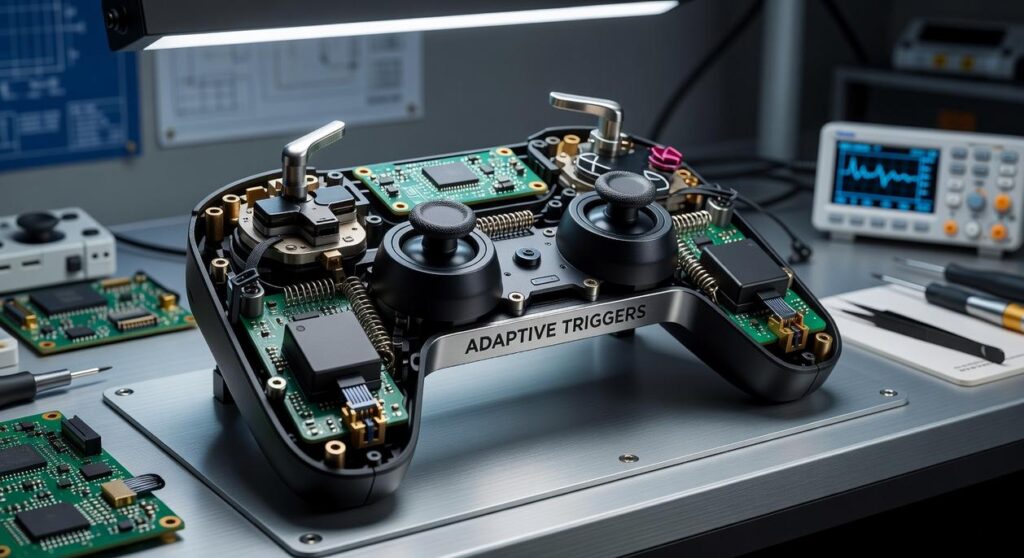
This guide unpacks what matters in modern controllers. We’ll decode sensors that prevent drift, adaptive triggers that respond to pressure, and haptics that simulate texture and impact.
Understanding gamepad technology evolution reveals why some devices feel immersive while others feel hollow.
• Pro tip: prioritize component quality over flashy branding.
The End of Stick Drift: Inside Hall Effect Sensor Technology
Every gamer knows the frustration: your character slowly walks forward while you’re not touching the controller. That’s stick drift. And traditionally, it starts with potentiometers.
Potentiometers are variable resistors that measure position through physical contact. Inside the analog stick, a wiper slides across a resistive track to detect movement. Over time, friction wears that surface down. Dust builds up. The signal becomes inconsistent. Eventually, the controller registers movement that isn’t there (cue the unintended cliff dive).
How Hall Effect Sensors Change the Game
Hall Effect sensors replace physical contact with magnetism. Instead of rubbing parts together, a magnet attached to the stick moves near a sensor that measures changes in a magnetic field. Because there’s no friction point, there’s dramatically less wear.
Here’s how they compare:
| Feature | Potentiometer | Hall Effect Sensor |
|—|—|—|
| Contact-Based | Yes | No |
| Wear Over Time | High | Minimal |
| Drift Risk | Common | Rare |
| Precision Lifespan | Degrades | Consistent |
As gamepad technology evolution continues, non-contact systems eliminate a major failure point. Some argue potentiometers are cheaper and “good enough.” However, consistent precision and long-term durability matter—especially in competitive play. With Hall Effect tech, performance stays sharp long after traditional sticks would fade.
Beyond rumble, advanced haptics are rewriting what your hands can feel. Old-school rumble relied on imprecise vibrations—basically two spinning weights shaking the entire controller. Fun? Sure. Detailed? Not even close. Modern haptic feedback, by contrast, delivers localized, nuanced sensations that mimic real-world touch.
At the center of this shift are Linear Resonant Actuators (LRAs). An LRA is a small motor that oscillates along a single axis, allowing faster response times and tighter control over frequency and amplitude. In plain terms: sharper, more accurate feedback exactly where developers want it. As a result, you can feel the gritty difference between gravel and mud, the subtle click of reloading a weapon, or even the soft patter of raindrops hitting your character’s jacket.
This precision isn’t just cool—it’s useful. Detailed haptics provide critical gameplay information. A faint pulse might signal low stamina; a directional thud can reveal where an enemy strike landed. Consequently, players react faster and make smarter decisions.
In the broader gamepad technology evolution, advanced haptics turn controllers into communication tools, not just input devices. The benefit for you? Deeper immersion, clearer feedback, and a competitive edge that feels literally in your hands.
Feeling the Tension: The Rise of Adaptive and Dynamic Triggers

Adaptive trigger technology refers to motorized mechanisms inside a controller that create variable resistance and force feedback. In simple terms, the trigger pushes back—sometimes gently, sometimes aggressively—depending on what’s happening on screen.
Think about drawing a bowstring: the tension increases the farther you pull. Or pressing a brake pedal that stiffens as you slam it. Even different firearms can simulate distinct kickback patterns. That physical resistance transforms a basic button press into a tangible action (and yes, your fingers will notice).
Some argue this is just a gimmick layered onto standard rumble. Fair point—if poorly implemented, it is. But when tuned correctly, it adds precision and immersion that traditional vibration can’t match. It’s a clear milestone in gamepad technology evolution.
If you’re serious about immersion, prioritize controllers that refine adaptive triggers AND pair them with strong haptics. Start by understanding haptic feedback in todays controllers.
- CHOOSE adjustable trigger sensitivity
- Test resistance profiles per game
Pro tip: Calibrate trigger strength to avoid finger fatigue during long sessions.
Cutting the Cord Without Cutting Performance: Connectivity and Power
The march of wireless controllers tells the story of gamepad technology evolution. Early Bluetooth felt like shouting across a crowded room; today’s ultra-low latency links whisper straight to your console.
For competitive players, proprietary 2.4GHz connections still rule. They use a USB dongle to cut interference and deliver near-wired response times (because someone will blame lag for that missed headshot). New Bluetooth standards offer wider compatibility and impressively tight latency, ideal for multi-device setups.
Pros and cons look like this:
- 2.4GHz: faster, steadier, but needs a dongle.
- Bluetooth: flexible, universal, slightly higher latency.
Battery tech has leveled up. Smarter power management offsets hungry haptics and adaptive triggers, stretching sessions longer. Pro tip: dim LEDs for extra hours.
Seamless pairing across PC, console, and mobile is essential for modern gamers.
One controller, zero cables, maximum competitive peace of mind today.
The Software Revolution: Onboard Profiles and AI-Assisted Control
Start by creating onboard profiles: map jump to a rear paddle, swap crouch and melee, then save. Next, fine-tune adjustable deadzones (the range your stick moves before input registers) to eliminate drift. After that, shape sensitivity curves so movements stay precise while flicks remain responsive.
Now, consider AI features. Intelligent recoil compensation can counter kick, while predictive input analysis anticipates adjustments to improve accuracy. Skeptics worry this feels artificial; however, when tuned, it enhances—not replaces—skill. Pro tip: test changes in practice mode before matches. This is gamepad technology evolution in action today.
At first, I underestimated how much hardware details mattered. I bought controllers based on price and wondered why drift, dull rumble, and clunky aim ruined sessions. Over time, I learned how gamepad technology evolution changed everything. Hall Effect sensors use magnetic fields to detect movement, meaning less wear and longer-lasting sticks. Meanwhile, advanced haptics create vibration patterns that mirror in-game actions, pulling you deeper into the moment. Smart software tuning refines sensitivity curves for precision. Together, these features transform a controller from input device into an active gameplay feedback loop. So, before buying, prioritize durability, immersion, and precision—they’re new baseline.
Level Up Your Control with Smarter Setup
You came here to better understand how modern controllers, integration strategies, and compatibility features work together—and now you have the clarity to make smarter decisions. From setup optimization to cross-device syncing, you’ve seen how gamepad technology evolution is reshaping the way players connect, compete, and perform.
The frustration of input lag, poor compatibility, or confusing configurations doesn’t have to hold you back anymore. With the right knowledge and properly optimized settings, your controller becomes an extension of your gameplay—not a limitation.
Now it’s time to act. Review your current setup, upgrade where needed, and fine-tune your configuration for peak responsiveness. Join thousands of gamers who rely on proven compatibility insights and trusted setup strategies to eliminate performance issues for good.
Don’t settle for average control. Optimize your gamepad today and experience smoother gameplay, faster response times, and seamless device integration—starting now.
 Head of Device Integration & Technical Strategy
Evan Taylorainser leads device integration and technical strategy at HSS Gamepad. He specializes in cross-platform compatibility, controller configuration systems, and performance optimization. Evan plays a key role in testing gamepad innovations and refining HSS setup frameworks. His analytical approach ensures reliable synchronization between hardware and software. Through his expertise, the platform delivers practical, high-performance solutions for modern gamers.
Head of Device Integration & Technical Strategy
Evan Taylorainser leads device integration and technical strategy at HSS Gamepad. He specializes in cross-platform compatibility, controller configuration systems, and performance optimization. Evan plays a key role in testing gamepad innovations and refining HSS setup frameworks. His analytical approach ensures reliable synchronization between hardware and software. Through his expertise, the platform delivers practical, high-performance solutions for modern gamers.