If you’re searching for a clear, in-depth gamepad teardown analysis, you want more than surface-level commentary—you want to understand how your controller is actually built, how its components interact, and what that means for performance, durability, and compatibility.
This article breaks down the internal architecture of modern gamepads, examining core components like analog modules, trigger mechanisms, PCB layouts, connectivity chips, and power management systems. We focus on how design decisions impact latency, drift resistance, repairability, and cross-device integration.
Our insights are grounded in hands-on hardware evaluations, real-world controller testing, and extensive experience analyzing device integration strategies across platforms. That means you’re getting practical, technically accurate information—not marketing claims.
Whether you’re troubleshooting, modding, comparing controllers, or optimizing your setup for HSS compatibility, this guide will give you a precise, component-level understanding of what’s inside your gamepad—and why it matters.
The First Layer: Enclosure, Buttons, and Membranes
The Outer Shell
The enclosure is typically molded from ABS plastic (Acrylonitrile Butadiene Styrene, a lightweight, impact‑resistant thermoplastic). Why does that matter to you? Because ABS absorbs shocks, resists heat, and protects the sensitive PCB (Printed Circuit Board, the controller’s main electrical hub) from drops and sweaty marathon sessions. Ergonomic contouring isn’t just cosmetic; it reduces hand fatigue and improves grip stability—meaning longer, more comfortable gameplay. In short: MORE DURABILITY, BETTER CONTROL.
Face Buttons (A, B, X, Y)
Beneath each button sits a silicone rubber membrane with a conductive carbon pad. When pressed, the pad bridges two traces on the PCB, closing the circuit. Simple? Yes. Effective? Absolutely. The elasticity of silicone provides tactile feedback while maintaining quiet operation (your late‑night sessions stay peaceful).
Benefits to you:
- Consistent actuation force
- Faster response times
- Lower wear over time
How a Button Press Registers
- Physical pressure compresses the membrane.
- Conductive pad touches PCB contacts.
- Circuit closes.
- Signal transmits to the console.
- Action appears on screen.
Understanding this flow—often revealed during a gamepad teardown analysis—helps you diagnose input lag or sticking buttons quickly.
The D-Pad
Membrane D‑Pads prioritize smooth pivots and affordability, while mechanical switches offer sharper tactile clicks and higher precision. If you value SPEED and ACCURACY in competitive play, that distinction directly impacts performance.
The Analog Heart: Deconstructing Joysticks and Triggers
Analog Stick Mechanics
At the core of most modern controllers sits a deceptively simple system: two potentiometers (variable resistors that change electrical output based on position). One tracks the X-axis, the other the Y-axis. When you tilt the stick, small wipers slide across carbon tracks, altering voltage and translating motion into movement on-screen. That’s how you get a full 360-degree range instead of a binary on/off signal (think less light switch, more dimmer knob).
Many gamers assume this decades-old design is “good enough.” After all, it’s been standard since the late ’90s. But ubiquity isn’t the same as perfection.
The Stick Drift Problem
Stick drift happens when those carbon tracks wear down. Dust, friction, and time degrade the surface, causing phantom inputs even when untouched. It’s the most common failure point in traditional controllers (IFixit has documented this extensively in teardown reports).
Some argue drift is just unavoidable wear and tear. I disagree. When millions experience the same flaw, that’s not fate — it’s a design ceiling.
Innovation in Input
Hall effect sensors replace physical contact with magnets and magnetic field detection. No friction, no scraping, dramatically less drift. For a deeper dive, see comparing input technologies hall effect vs potentiometer sticks.
- Potentiometers rely on contact.
- Hall sensors rely on magnetic fields.
Pro tip: If longevity matters more than tradition, choose contactless designs.
Adaptive Triggers
Modern adaptive triggers use tiny motors and gear systems to vary resistance dynamically. In one gamepad teardown analysis, you can see how these mechanisms simulate tension — like drawing a bowstring in Horizon (yes, it feels that real). Resistance isn’t just feedback; it’s immersion engineered.
The Central Nervous System: The Main Printed Circuit Board (PCB)

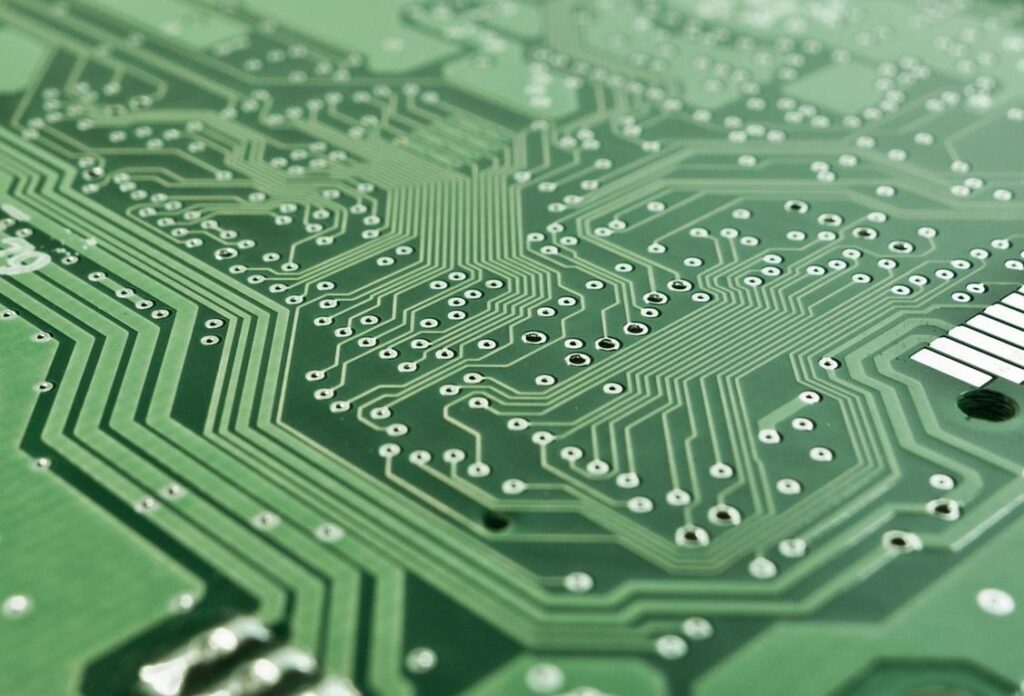
At the heart of every modern controller sits the printed circuit board (PCB)—the flat board covered in copper traces that connect and power every component. Think of it as the controller’s nervous system. Every button press, trigger pull, and joystick tilt travels across this board before your character ever jumps.
The Microcontroller (MCU): The Brain
The microcontroller (MCU) is a compact integrated circuit that acts as the controller’s brain. An integrated circuit simply means multiple electronic components built into a single chip. The MCU reads inputs from buttons (digital signals: on or off) and joysticks (analog signals: variable movement).
Analog signals are continuous electrical changes. For example, pushing a joystick halfway forward sends a different voltage than pushing it fully forward. The MCU converts that varying voltage into digital data—binary code the console or PC understands. (Yes, your dramatic slow-walk is just math.)
Wireless Communication and Latency
Wireless models include a Bluetooth or proprietary 2.4GHz radio chip. Latency—the delay between input and on-screen action—depends on how efficiently this chip encodes and transmits data. Bluetooth is widely compatible, while proprietary 2.4GHz connections often reduce interference and response time (which competitive players swear they can feel).
Power Management and Distribution
Power circuits regulate energy from the battery and USB-C charging port. Voltage regulators ensure stable current to the MCU, wireless module, and rumble motors. Stable voltage prevents erratic inputs and disconnects. Without proper power management, even the best components fail.
A detailed gamepad teardown analysis reveals how tightly these systems integrate—clarifying why small hardware differences can dramatically affect performance.
Sensory Feedback: Rumble Motors and Haptic Engines
Traditional rumble relies on eccentric rotating mass (ERM) motors—small motors with an off-center weight that spins to create vibration. As the uneven mass rotates, it produces that familiar buzz you feel during explosions or crashes. It’s simple, durable, and cost-effective. However, ERM feedback is broad and less precise (think: loud knock rather than subtle tap).
By contrast, Linear Resonant Actuators (LRAs) use a magnet attached to a spring, oscillating back and forth along a single axis. Because they operate at a resonant frequency, they deliver sharper, faster, and more localized feedback. In practical terms, that means distinguishing between a light footstep and a heavy impact—something competitive players appreciate.
With HSS compatibility, advanced haptics can map specific in-game events to distinct vibration patterns, reinforcing timing cues and spatial awareness. Meanwhile, gamepad teardown analysis shows motor size and placement directly influence weight balance and battery efficiency—small engineering choices that dramatically shape immersion.
Take Full Control of Your Setup
You came here looking for clarity on optimizing your controller performance, compatibility, and customization—and now you have the roadmap to make it happen. From smarter device integration strategies to deeper insights gained through gamepad teardown analysis, you’ve seen what separates an average setup from a competitive edge.
If you’ve been frustrated by input lag, poor compatibility, or underwhelming performance, you don’t have to settle for it anymore. The right configuration and informed adjustments can completely transform how your controller responds and feels.
Now it’s time to act. Upgrade your setup, apply these optimization strategies, and stay ahead with trusted, expert-backed insights relied on by thousands of serious gamers. Don’t let outdated configurations hold you back—start refining your controller experience today and unlock the precision you’ve been missing.
 Head of Device Integration & Technical Strategy
Evan Taylorainser leads device integration and technical strategy at HSS Gamepad. He specializes in cross-platform compatibility, controller configuration systems, and performance optimization. Evan plays a key role in testing gamepad innovations and refining HSS setup frameworks. His analytical approach ensures reliable synchronization between hardware and software. Through his expertise, the platform delivers practical, high-performance solutions for modern gamers.
Head of Device Integration & Technical Strategy
Evan Taylorainser leads device integration and technical strategy at HSS Gamepad. He specializes in cross-platform compatibility, controller configuration systems, and performance optimization. Evan plays a key role in testing gamepad innovations and refining HSS setup frameworks. His analytical approach ensures reliable synchronization between hardware and software. Through his expertise, the platform delivers practical, high-performance solutions for modern gamers.